Rooms
Rooms are created 2 ways:
- When session rooms/locations are uploaded with the agenda.
- When booth or table numbers are uploaded with a company under exhibitors and sponsors.
Rooms can then be managed by going to Maps and Rooms > Rooms
- Use the action tools to edit, view sessions or exhibitors associated with a room, or remove a room.
- Click on "Add Room" to create a new room for either a session or a booth.
Editing a Room
- Search for the booth or session room you would like to edit
- Name and Location tab:
- You can select a different map from the drop-down if you need to assign the existing booth number to a different map.
- Type allows you to select a different type: Table, Booth or Custom. Custom allows you to use a mix of letters and numbers for a booth.
- Booth number: you can update the number for that booth accordingly.

Note: Only use these settings if you need to make a change to a particular booth. If you are re-assigning a booth number to another company, please do this in the Exhibitor and Sponsor section.
- Interactive Map - these coordinates are created with your interactive map. This section should not be edited. If you have a question or update to your interactive map, please contact support@resultsathand.com
- Pricing and Availability - this allows you to make booths available or not available in the app and registration.
- You can control the availability of the booth. This works for both the app and registration.
- If you need to change the booth type (for registration products), select the booth type from the drop down.
- Be sure to click "update room" to save your changes.
Uploading Rooms
Rooms can be uploaded by clicking on the "upload room" tab
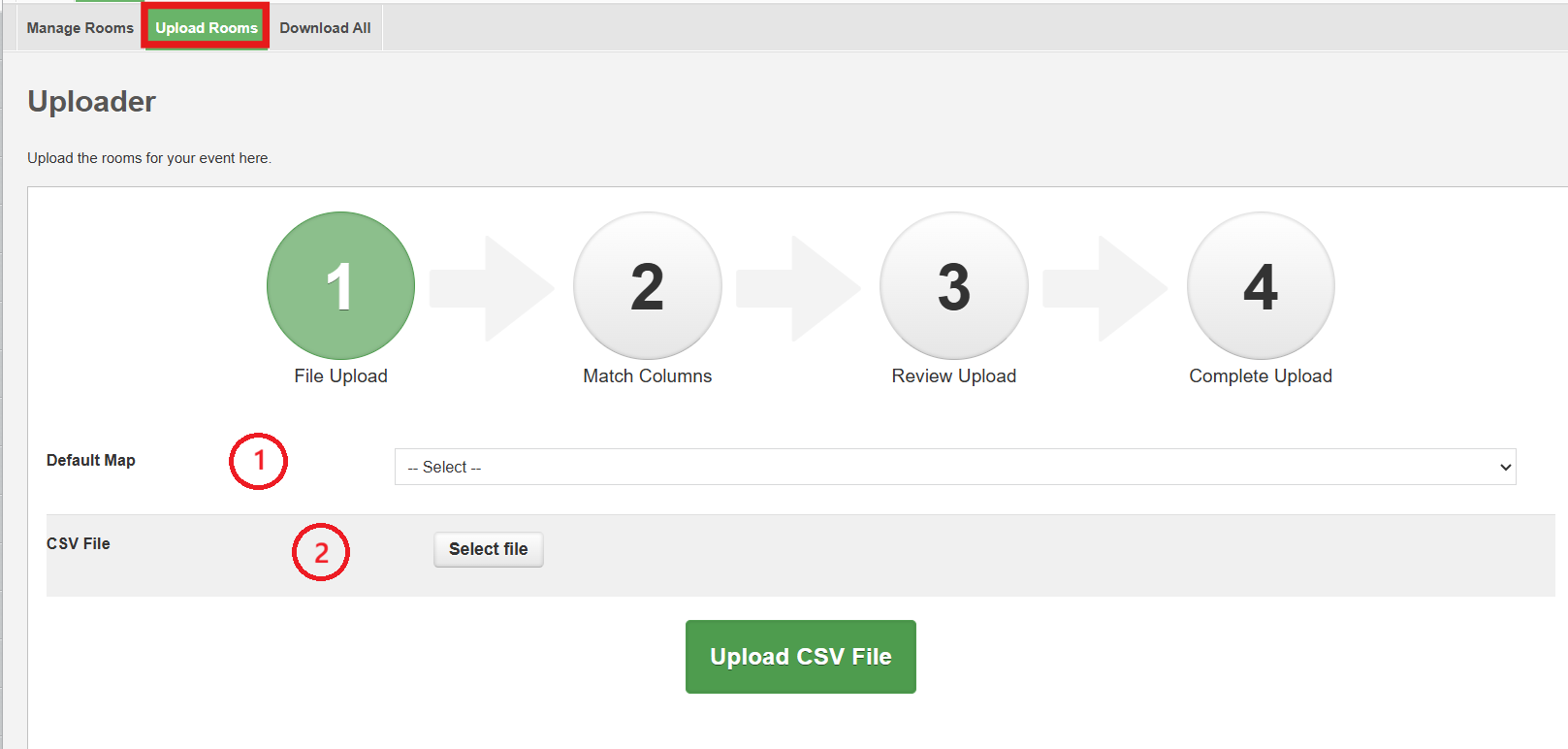
Note: this is typically only used when updating room products for registration.
Related Articles
Maps
Maps There are 3 types of maps that can be used in the app: Venue/General Maps, Session Room Maps, and Exhibit Hall Maps. Other map images can be added to sections of the app such as agenda sessions, notifications and email templates using the ...Add the interactive map to your event registration site or website (embedded map)
Embed the interactive map to your website via the Embedded Map URL. Access the Map: Go to Maps & Rooms > Manage to access the maps table. Here all the maps for your event are listed. Select the interactive exhibitor map. Note this map will need to be ...Add an iFrame (Google Map) in CKEditor (WYSIWYG rich text editor)
The CKEditor (WYSIWYG rich text editor) now has the capability to add iFrames such as, Google Maps, to your event. Add a Google Map To add a Google map, click on the world icon highlighted in the screen shot below: You are presented with the iFrame ...How do I edit the agenda?
When making edits to a previously uploaded agenda, there are 2 options: 1) Uploading Updates Session updates can be completed via upload using the R@H session ID or the "Your session ID" if one was used in the initial upload. Use the exact file used ...2. Build your Event App
Build Your Event App As an app administrator, you have access to the Results at Hand CMS Admin Portal to maintain your app. This guide will provide step-by-step instructions to building your event app with our Admin Portal software. If this is your ...